
Step 4 - Service Listings
Step 4 displays all services that match the client’s demographics and selected categories. This is where the client chooses which services to include in their printout.
Types of Listings
Section titled “Types of Listings”There are two types of service listings:
Information Listings
Section titled “Information Listings”Information listings provide contact details only — no appointment booking is available. These are services the client can contact themselves after release.
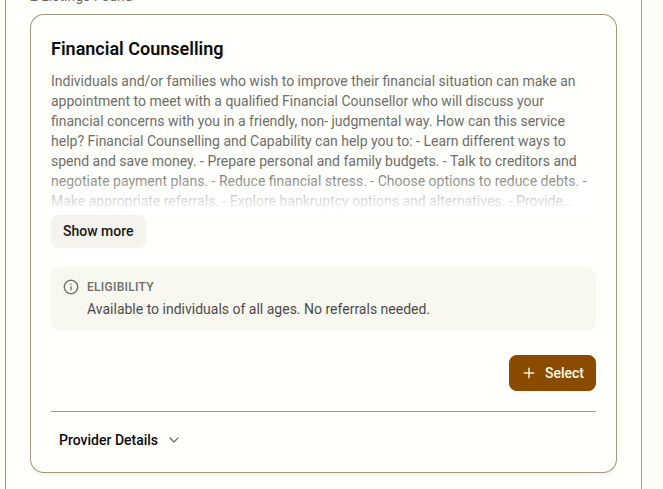
Each information listing shows:
- Service name and description
- An eligibility note (if applicable) highlighting any specific requirements
- Provider contact details (phone, email, address) — click to expand if collapsed
- A Select button to add the listing to the printout
Booking Listings
Section titled “Booking Listings”Booking listings include available appointment slots that can be reserved during the session.
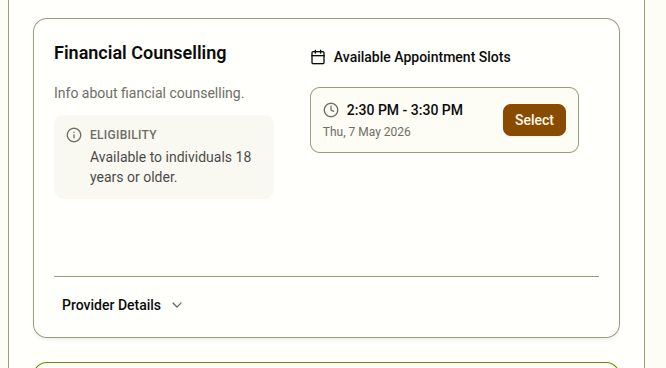
Each booking listing shows:
- Service name and description
- Eligibility notes
- A list of available date and time slots
- A Select button next to each slot
Selecting Listings and Slots
Section titled “Selecting Listings and Slots”- Click Select next to an information listing or an appointment slot to add it
- The button changes to Remove once something is selected — click again to deselect
- You can select multiple information listings and multiple appointment slots from different providers
- There is no limit to how many selections you can make
When No Matches Are Found
Section titled “When No Matches Are Found”If the client’s demographics and category selections return no matching services, a warning banner will appear. The system will display a fallback provider — a general contact with broad support available to anyone. You can still select the fallback provider’s contact information for the printout.
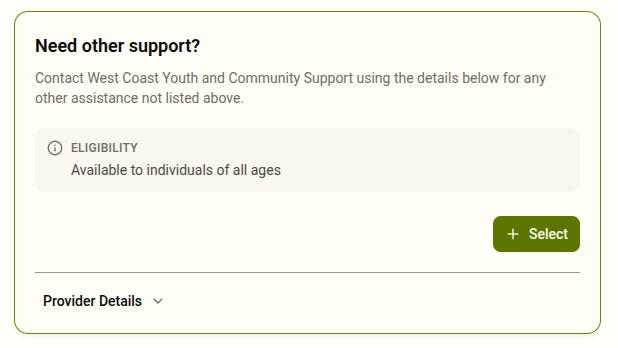
If this happens, you may also want to:
- Go back to Step 2 and adjust any “Don’t know” answers if the client is now able to provide more detail
- Go back to Step 3 and add more categories
Eligibility Notes
Section titled “Eligibility Notes”Some listings include an eligibility note displayed in a highlighted box. Read this with the client to confirm they meet the requirements before selecting the service. Selecting a service the client is not eligible for may result in a wasted contact or appointment.