
Managing Categories
Categories are the service types that clients select in Step 3 of the prison interface. Listings are assigned to categories, and the client’s category selections determine which listings are shown in Step 4.
Viewing Categories
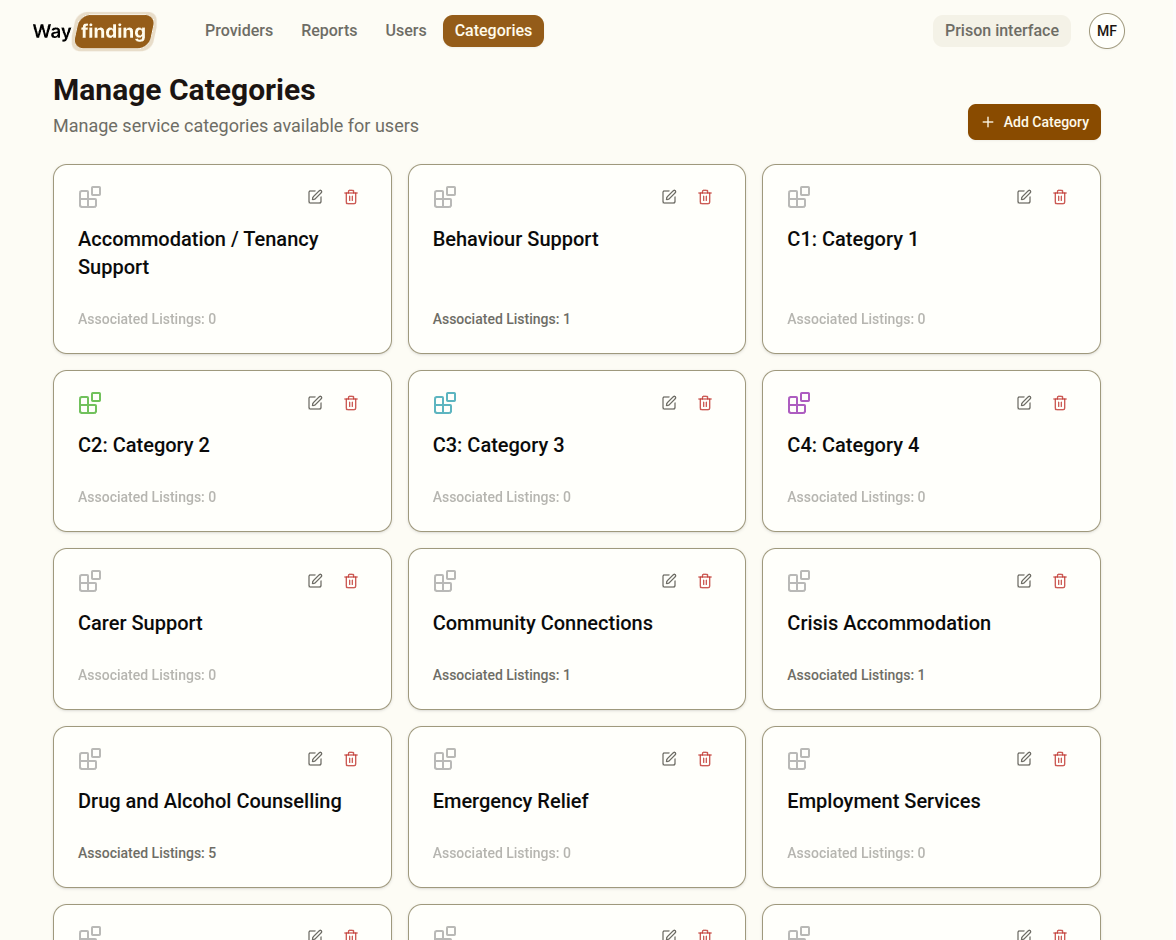
Section titled “Viewing Categories”Navigate to Categories in the top menu. You will see a grid of category cards, each showing:
- The category name
- The category colour
- The number of listings currently using that category
Creating a Category
Section titled “Creating a Category”- Click Add Category
- Enter a name for the category
- Choose a colour — this colour is used on the category card shown to clients in Step 3
- Click Create Category
The category will immediately appear in the grid and will be available to assign to listings.
Editing a Category
Section titled “Editing a Category”Click the edit icon on a category card to change the name or colour. Changes apply immediately to all listings using that category and to the category cards shown to clients.
Deleting a Category
Section titled “Deleting a Category”Click the delete icon on a category card. You will be asked to confirm.
Planning Your Category Structure
Section titled “Planning Your Category Structure”Categories should be broad enough that clients can easily identify what they are looking for, but specific enough to be meaningful. Some considerations:
- Use plain language that a client with no knowledge of the services sector will understand
- Avoid jargon or acronyms
- Aim for a manageable number of categories — too many can be overwhelming in Step 3
- A listing can belong to multiple categories if appropriate