
Managing Appointment Slots
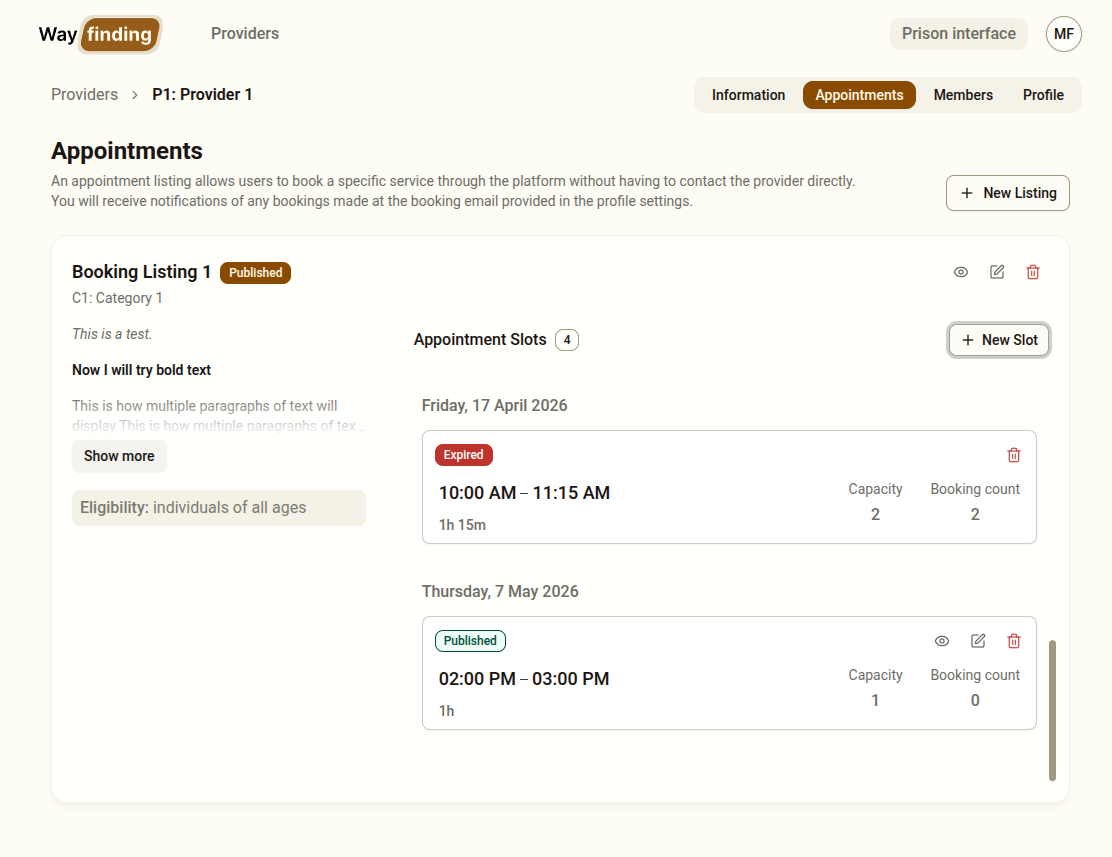
Appointment slots are the specific date and time options that clients can select from during Step 4 of the prison interface. Slots belong to a booking listing.
Accessing Appointment Slots
Section titled “Accessing Appointment Slots”- Go to Providers in the sidebar
- Click on a provider card
- Go to the Appointments tab
- Click on a booking listing to view and manage its slots
Adding a Slot
Section titled “Adding a Slot”- On a booking listing, click Add Slot
- Select the date and time for the appointment
- Set the duration or end time
- Click Save
The slot will immediately appear as an option in Step 4 of the prison interface.
Managing Existing Slots
Section titled “Managing Existing Slots”Each slot is listed under its booking listing. For each slot you can see the date and time range. You can:
- Remove a slot — click the remove/delete option next to the slot
Best Practices
Section titled “Best Practices”- Add slots in advance — slots that appear in the past will not be shown to clients, so keep the slot list up to date
- Remove expired slots regularly to keep the listings tidy
- Coordinate with providers to ensure slots are actually available before adding them — a client selecting a slot that is no longer available will result in a wasted booking
- If a provider is temporarily unavailable, remove their slots rather than deleting the listing — this preserves the listing for when they are available again